TATA DOCOMO day by day are bringing lots to changes in the technology, and now recently they have implemented Customer Care Chat Support which means now you can easily chat with TATA DOCOMO Customer Care Representative within few minutes, in this present Social Networking world this is the best facility which is launched by TATA DOCOMO Telecom Operator which allows us directly to chat with TATA DOCOMO Customer Care with Live Chat Facility.
The best thing about TATA DOCOMO Customer Care Live Chat Support is that it’s available from 8:00 AM to 12:00 AM, you can chat within this time on all days including public holidays and Sundays, they are available to help us all 365 days.
The TATA DOCOMO Chat Support is quick, this Online Chat Support is for all TATA Services like TATA DOCOMO Prepaid GSM, TATA DOCOMO Prepaid CDMA, TATA DOCOMO Postpaid GSM, TATA DOCOMO Postpaid CDMA, Photon Postpaid and Photon Prepaid, before you chat with them you have to fill the form for which service do you want the chat support after selecting the service you can Chat with specific TATA Service Representative.
Those days are gone when people use to call customer care and wait for hours to talk with them to solve their problems or any queries now this chat brings a new generation technology which will help the young masses very well.
This TATA DOCOMO Customer Care Chat Support is for Non TATA Customer’s as well as TATA Existing Customer’s.
To Chat with TATA DOCOMO Online Customer Care Live Chat Support Visit: http://c1web1.saas.talismaonline.com/chatc1/tatadocomo.html
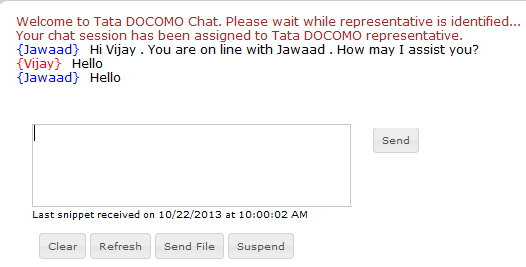
The best thing about TATA DOCOMO Customer Care Live Chat Support is that it’s available from 8:00 AM to 12:00 AM, you can chat within this time on all days including public holidays and Sundays, they are available to help us all 365 days.
The TATA DOCOMO Chat Support is quick, this Online Chat Support is for all TATA Services like TATA DOCOMO Prepaid GSM, TATA DOCOMO Prepaid CDMA, TATA DOCOMO Postpaid GSM, TATA DOCOMO Postpaid CDMA, Photon Postpaid and Photon Prepaid, before you chat with them you have to fill the form for which service do you want the chat support after selecting the service you can Chat with specific TATA Service Representative.
Those days are gone when people use to call customer care and wait for hours to talk with them to solve their problems or any queries now this chat brings a new generation technology which will help the young masses very well.
This TATA DOCOMO Customer Care Chat Support is for Non TATA Customer’s as well as TATA Existing Customer’s.
To Chat with TATA DOCOMO Online Customer Care Live Chat Support Visit: http://c1web1.saas.talismaonline.com/chatc1/tatadocomo.html
Your articles and contents are encouraging.
ReplyDeleteUs Technical Support
I want my no puk code my no is 9034437746
ReplyDeletePlz I need fastly my no. Is locked
ReplyDeleteHere nobody have docomo no.i can't contact customer care
ReplyDeleteMy number does not getting data it's showing E signal
ReplyDelete